PDF to Markdown for LLM Knowledge Bases and RAG
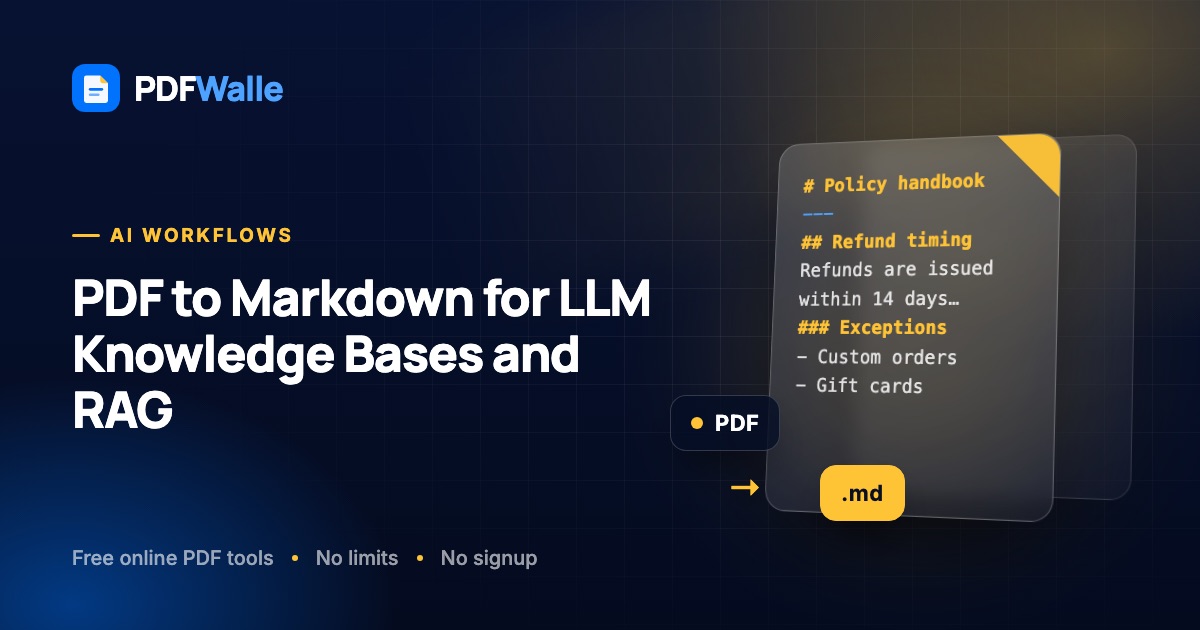
Learn how to convert PDFs to Markdown for LLM knowledge bases and RAG pipelines, keep headings for clean chunking, and fix the parts that break.
Short answer: Markdown is the best input format for an LLM knowledge base because it keeps the one thing a retrieval pipeline needs most, document structure, while throwing away the layout noise that wastes tokens and confuses chunking. Convert each PDF to Markdown with headings intact, split on those headings, attach the source and section as metadata, and embed the chunks. PDFWalle's PDF to Markdown converter runs in your browser, infers headings from font size and weight, rebuilds lists and paragraphs, and lets you edit the output before you download it. This guide covers why structure matters for RAG, what breaks in PDF extraction, and a step-by-step workflow from PDF to vector store.
Why Markdown and not raw text or the PDF itself
Retrieval-augmented generation works by splitting documents into chunks, embedding each chunk, finding the chunks closest to a question, and handing them to the model as context. Every step depends on the chunks being coherent units of meaning. A PDF gives you none of that for free.
Raw text extraction produces a stream with headers and footers repeated every page, hyphenated words split across lines, two-column layouts interleaved line by line, and no indication of where one section ends and the next begins. A naive fixed-size chunker then cuts that stream every 500 tokens, splitting a definition from its term or a step from its heading. Retrieval finds a chunk that mentions the right words and the model answers from half a thought.
Markdown keeps headings as #, ## and ###, lists as - and 1., and paragraphs as paragraphs. A chunker can split on headings so each chunk is a complete section, the heading path ("Returns policy › Refund timing") can be prepended to every chunk so the embedding knows what the section is about, and the model can cite the section it used. It is also compact: Markdown markup is a handful of characters, where HTML or JSON wrappers can double the token count.
Feeding the PDF itself to a multimodal model works for a one-off question but not for a knowledge base: you pay to re-read the whole document on every query and you cannot retrieve by section.
What good Markdown for RAG looks like
- One H1 per document (the title) and a consistent heading hierarchy underneath. Skipped levels confuse heading-based splitters.
- No repeated page furniture. Running headers, footers and page numbers should be gone.
- Paragraphs joined. Line breaks inside a paragraph should be removed and hyphenated words stitched back together.
- Lists preserved. Steps and bullet points survive as lists so they are chunked together.
- Front matter. A small YAML block at the top with source, title, date and version lets you filter retrieval and show citations.
- Tables as tables where possible, or at least as one block, so a row's values stay with its headers.
What breaks and how to fix it
Headings are not detected, or everything is a heading
The converter infers headings from font size relative to the body size. A document set entirely in one size, or one that uses colour instead of size for headings, gives it nothing to work with. Fix: keep heading detection on, then use the editable preview to promote or demote lines. For a large batch from the same template, fix one file, note the pattern, and apply the same edits with a script.
Two-column layouts are interleaved
Academic papers and newsletters put two columns on one page, and a line-by-line reader alternates between them. Fix: the converter groups fragments by baseline and horizontal gap, which separates most two-column pages correctly. Where it does not, the preview is editable; move the second column below the first. For heavily designed layouts, extract the text from the source document instead if you have it.
Page headers and footers appear every 40 lines
The document title and page number are repeated on every page and end up inside chunks. Fix: choose the "Continuous" page-break option so no page markers are added, then remove the repeated lines with a find-and-replace in the preview or a one-line regex in your pipeline.
Tables are flattened to lines
Multi-column tables are reconstructed as lines of text rather than Markdown table syntax, so a cell's value is separated from its column heading. Fix: for a few tables, rewrite them as Markdown tables in the preview. For data-heavy documents, convert the tables separately with PDF to Excel and store them as structured records rather than prose.
Scanned PDFs produce nothing
A scan has no text layer. Fix: run the file through OCR PDF first, then convert the searchable result. Check OCR output for misread numbers before embedding; retrieval will faithfully return the wrong figure.
Chunks are too big or too small
Splitting purely on headings gives a two-sentence chunk for one section and a 3,000-token chunk for the next. Fix: split on headings first, then split any section over your limit (400 to 800 tokens is a common range) on paragraph boundaries, and merge tiny sections into their parent. Keep the heading path on every piece.
The model cannot say where an answer came from
Metadata was dropped during ingestion. Fix: store source file name, page range, heading path and document date alongside every chunk and ask the model to cite them. This is the single biggest trust improvement you can make to a RAG system.
Step by step: from PDF to a RAG-ready corpus
- Collect text-based PDFs. Exported documents, manuals, policies and reports convert cleanly. OCR any scans first.
- Open the PDF to Markdown converter. It runs entirely in your browser using the PDF's own text layer, so confidential documents are never uploaded and there is no size limit beyond your device's memory.
- Set the options. Heading detection on, list detection on, and page breaks set to "Continuous" for a knowledge base so page markers do not land inside chunks. (Keep page markers if you want page-level citations; you can strip them later and keep the numbers as metadata.)
- Convert and review. Scan the preview for the heading hierarchy. Fix any missed or spurious headings, delete repeated running headers, and rewrite important tables as Markdown tables. The preview is fully editable and your edits are included in the download.
- Add front matter. At the top of the file add a YAML block with
title,source,dateand any filter fields you will use (product, region, version). Download the .md file. - Chunk by heading, then by size. In your pipeline, split on
##and###, cap sections at your token limit by splitting on paragraphs, and prepend the heading path to each chunk's text before embedding. - Embed, store and test. Load the chunks into your vector store with the metadata, then ask ten questions you know the answers to and check that the right section is retrieved. Fix conversion problems at the source rather than with prompt engineering.
Keeping the corpus honest over time
A knowledge base rots when documents are updated and the Markdown is not. Because Markdown is plain text, keep the converted files in Git next to a manifest of source PDFs and their hashes. When a PDF changes, reconvert, diff the Markdown to see what moved, and re-embed only the changed chunks. The diff is also a useful review of what the model will now say differently.
Version and date fields in the front matter let retrieval prefer the current document when two versions of a policy are both in the store, which happens more often than anyone plans for.
Frequently asked questions
Why is Markdown better than plain text for a RAG pipeline?
Because it keeps headings and lists. A chunker can split on headings so every chunk is a complete section, the heading path can be added to each chunk to improve retrieval, and the model can cite the section it used. Plain text loses all of that, and fixed-size chunks cut through the middle of ideas.
Does the converter produce Markdown tables?
Not automatically. Multi-column tables are reconstructed as lines of text. For a few tables, rewrite them in the editable preview; for data-heavy documents, extract tables separately with PDF to Excel and store them as structured records.
How should I chunk the Markdown?
Split on level 2 and level 3 headings first, then split any section longer than your limit on paragraph boundaries, and merge very short sections into their parent. Prepend the heading path to every chunk and keep the source and section as metadata.
Can I convert scanned PDFs for a knowledge base?
Only after OCR. Run the scan through OCR PDF to add a text layer, then convert the result to Markdown and check numbers and names for recognition errors before embedding.
Are my documents uploaded during conversion?
No. The PDF to Markdown converter runs entirely in your browser and reads the PDF's existing text layer, so internal documents never leave your device. Only the optional OCR step for scans is server-assisted, and those files are deleted within an hour.
Start building your corpus with the PDF to Markdown converter. It runs in your browser and nothing is uploaded.